DocuFlex
Flexible document management and engagement workflow app on Caseware Cloud. With DocuFlex, users can effortlessly manage their documents.

Key Benefits

Enhanced Efficiency
Cut manual setup and updates so teams spend more time on review, analysis and advice.
Mitigate Risk
Keep standard sign-offs and change history to support compliance and reduce documentation risk.
No-Code Flexibility
Use no-code tools to build automated workflows fast that fit your organization’s needs.
Scale with Agility
Add new services fast by adapting steps and outputs without rebuilding your file.
Product Overview
A cloud-based document management and engagement workflow on the Caseware platform. Use a configurable no-code workspace to build folders, forms, checklists, text and financial statements, then reuse them across services to keep delivery consistent as your firm grows.
Features
Create folders, checklists and workpapers in a template, set custom sign-off roles, then launch consistent files that are ready for sign-off every time.
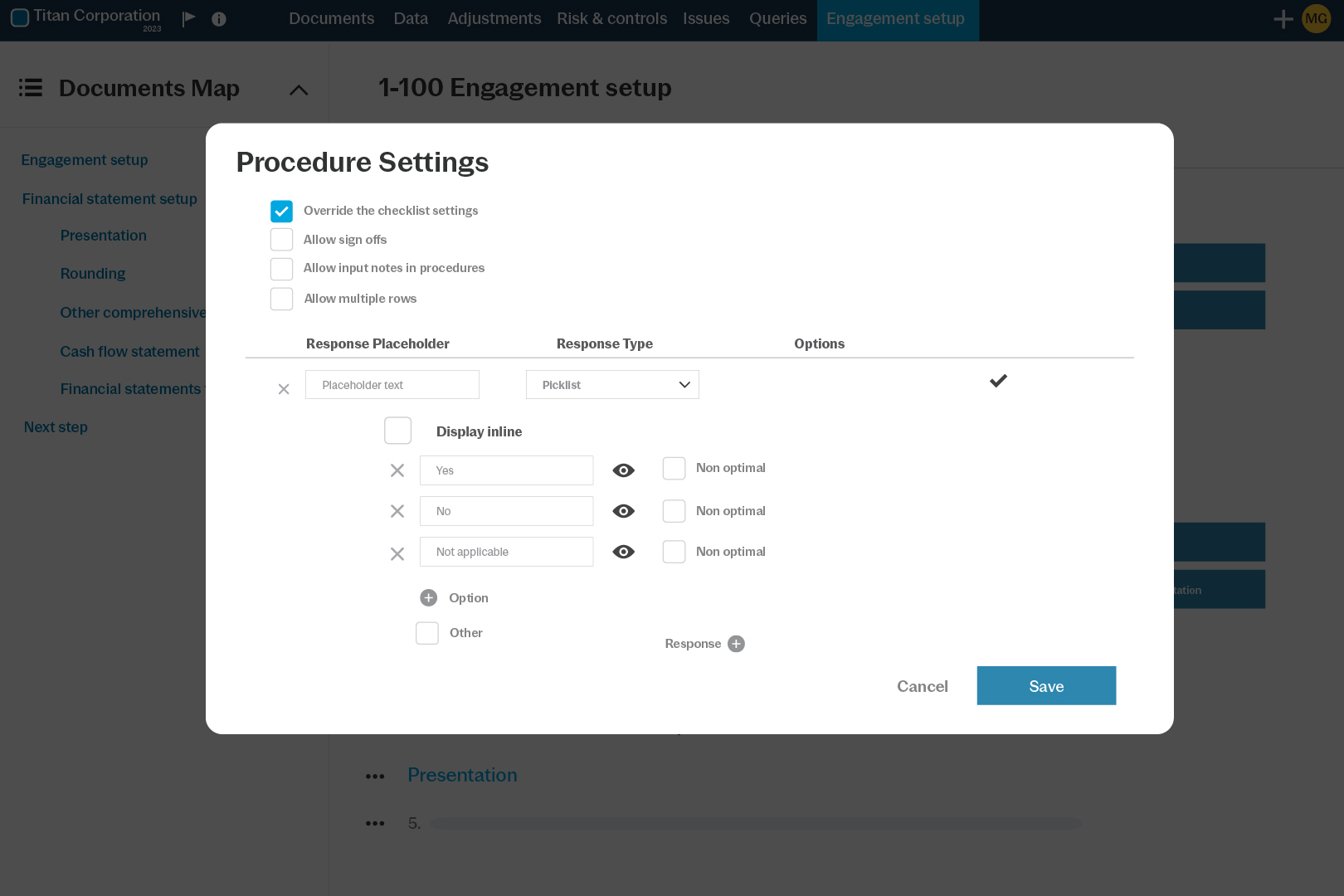
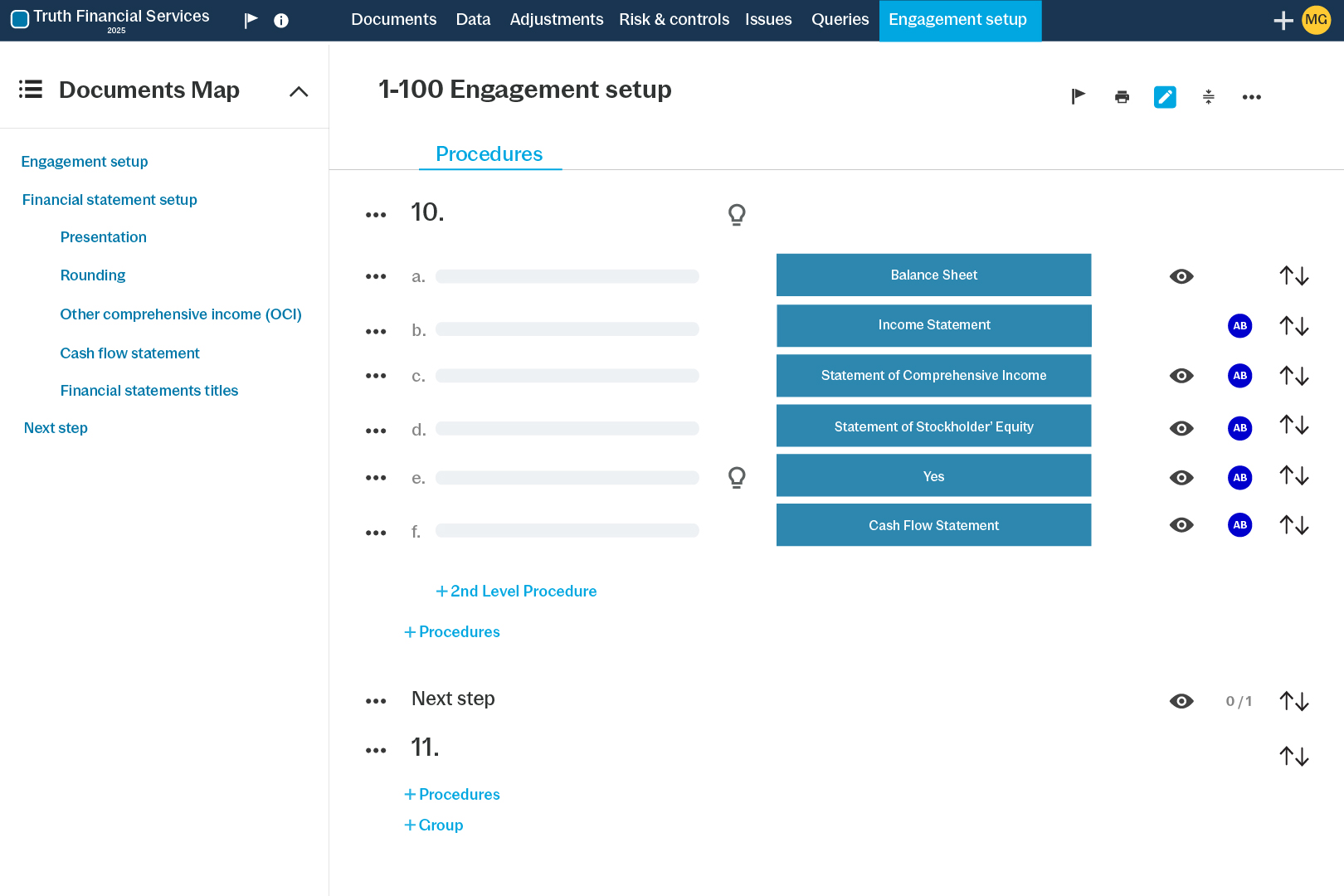
Define rules for sections or documents based on responses and other conditions, so staff see only what applies and managers avoid searching through unused areas.
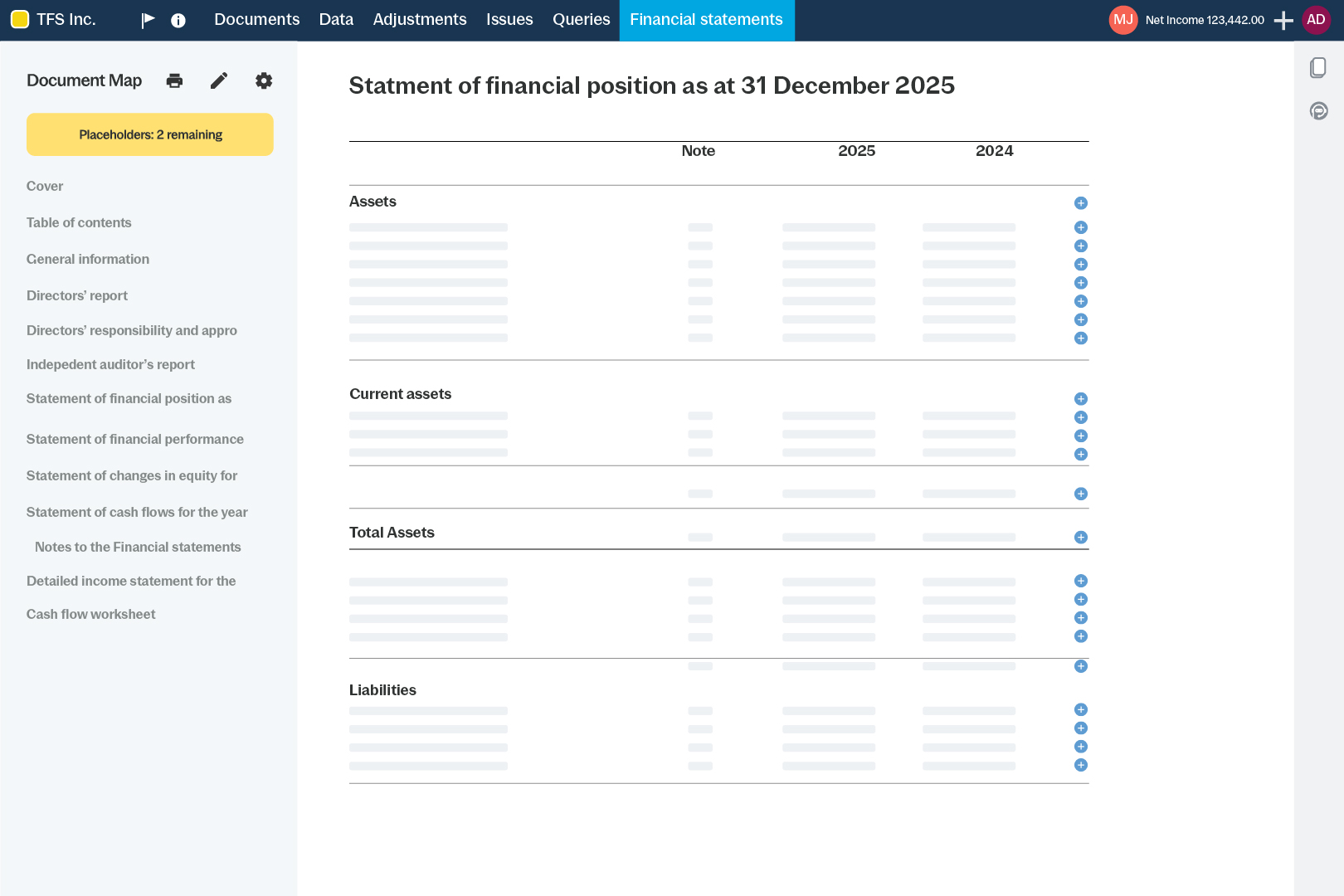
Draft financial statements with firm style, dynamic tables and a note library. Add columns, calculations or graphs then keep layouts aligned as engagement data changes.
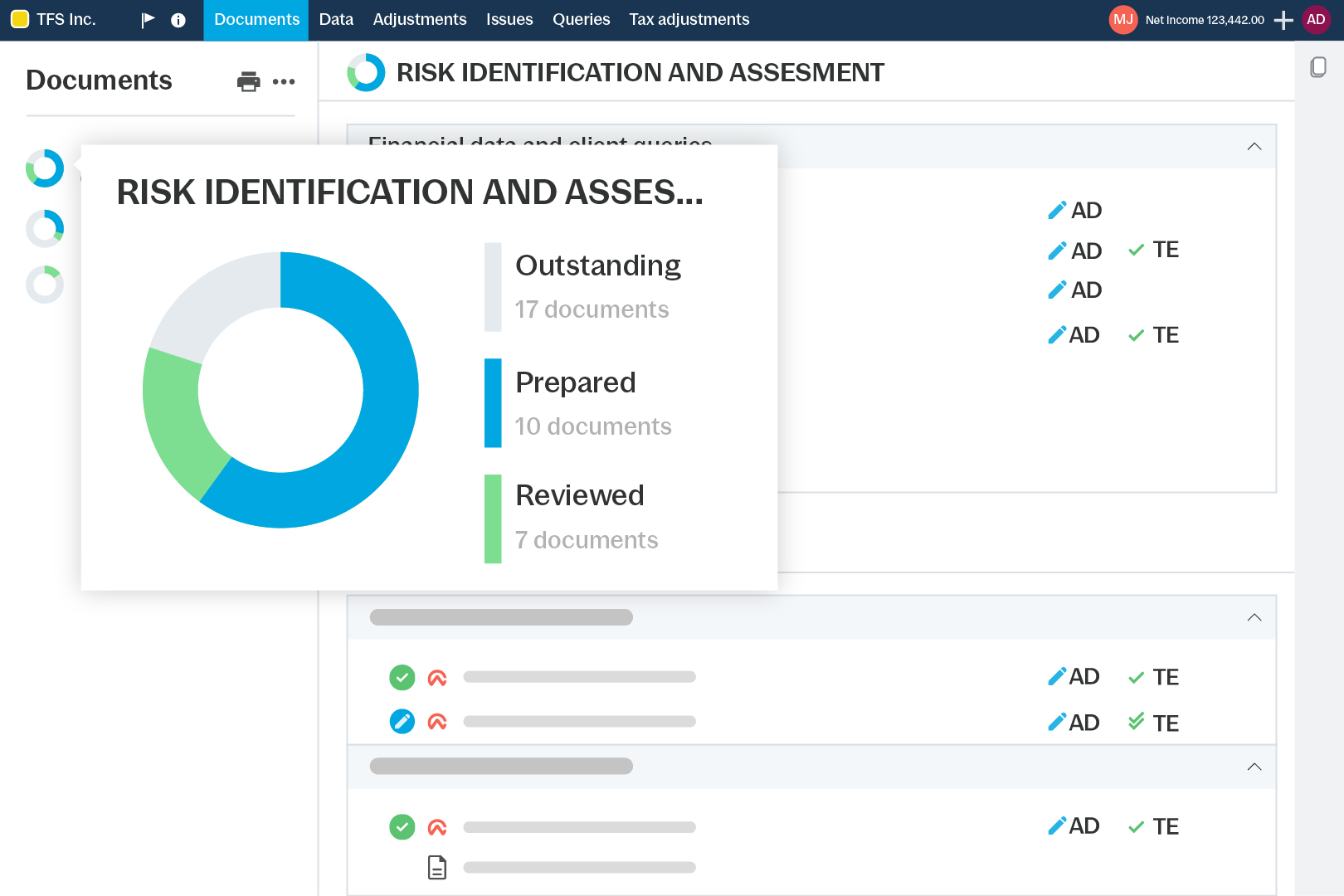
See engagement status in real time, flag pending items and run review diagnostics to highlight issues so nothing critical is missed during review before sign-off.
How to Get Started
- Template
Start from baseline or firm template.
- Configure
Add folders, checklists and sign-offs.
- Automate
Set visibility rules by role or response.
- Collaborate
Send PBC requests and manage comments.
- Report
Draft letters and financial statements.
Additional Resources